

Quickstart
From zero to downloaded audio in about 5 minutes — in Python or from the terminal.
Generate your first audio: clone the starter template, give it a script and a voice, run it, download the result. Pick your lane — Python or CLI.
0. Prerequisites
Python 3.10 or later — check before anything else:
Taking the CLI lane? You’ll also want jq (brew install jq) — the examples use it to pull IDs out of JSON.
On Python 3.9 or older, pip install onepin fails with a misleading No matching distribution found for onepin — that error means your Python is too old, not that the package is missing.
1. Install
One install gives you both the onepin Python SDK and the onepin CLI. Prefer uv? uv add onepin. Pin a version with pip install "onepin==0.9.0".
2. Authenticate
Create an API key: app.onepin.ai → Settings → API → Create new key. It’s shown once — copy it.
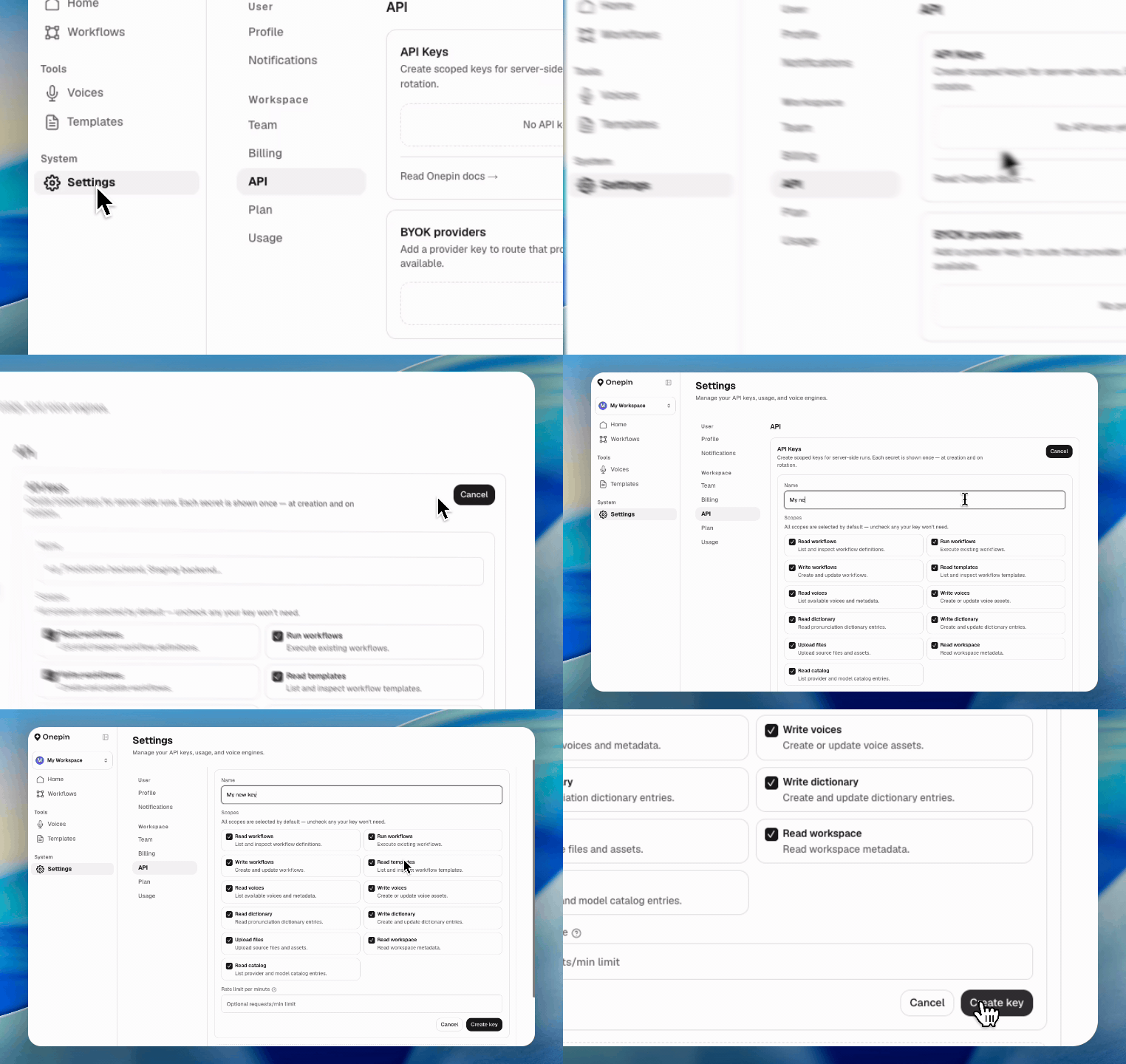
Then log in once:
Both the CLI and the Python SDK read the stored key automatically — nothing else to set up. For other ways to supply the key, see Authentication.
3. Generate audio
4. Listen
You just shipped your first audio. 🎧
Next steps
- Run a workflow — start, watch, and download, in Python or the CLI
- Workflow — the node graph you just edited: node types,
voice_map, export formats - Authentication — creating a key, logging in, and scopes
- CLI reference — everything scriptable from the terminal
- MCP server — do all of this from Claude or Cursor instead, in natural language
- Agent skill — or
onepin skill install, and your coding tool drives the CLI for you